
As of August 2022, the I2P team made StormyCloud the default outproxy provider for I2P. The default outproxy provider for I2P+ is purokishi.i2p. Users needing updates should follow the steps below. For remote server connections, refer to the SSH Tunnel guide.
I2P / I2P+
Step 1: Connect to the router console. Navigate to: 127.0.0.1:7657
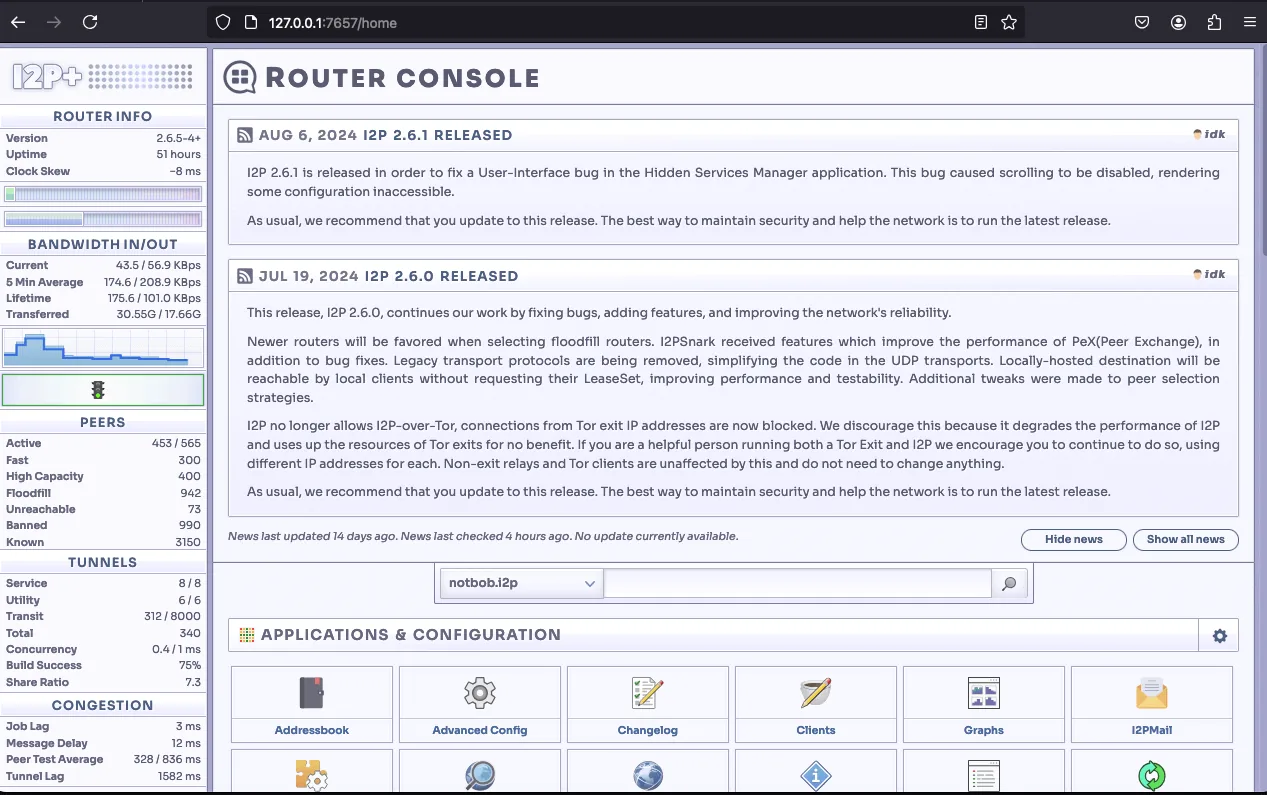
Step 2: Navigate to the Tunnel Manager: http://127.0.0.1:7657/tunnelmanager
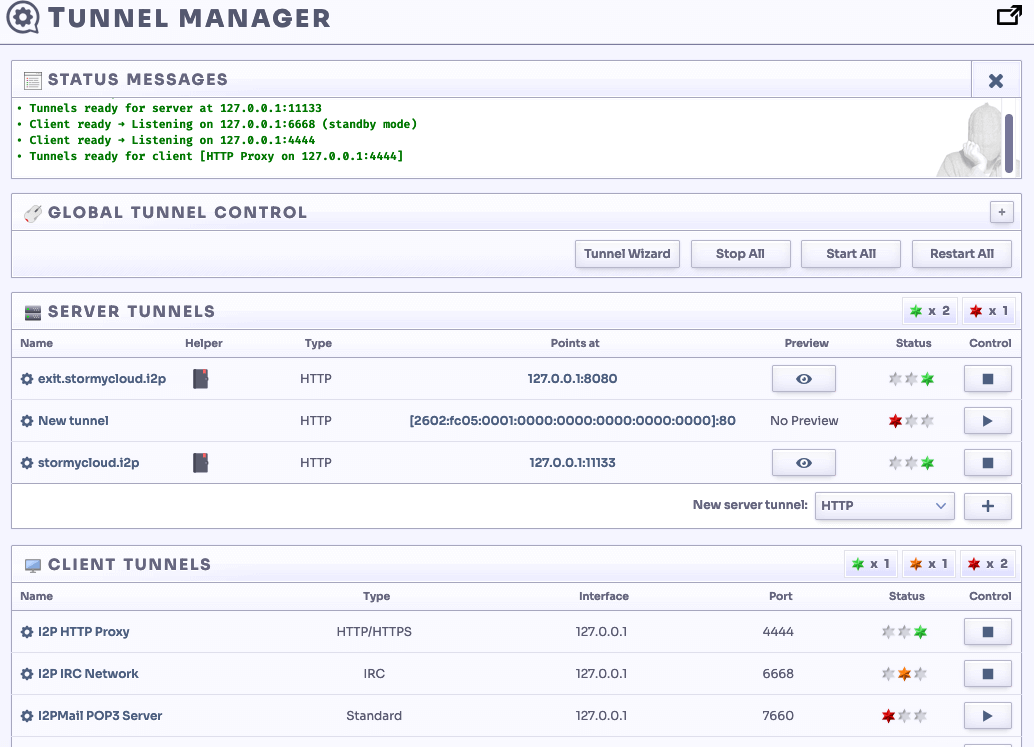
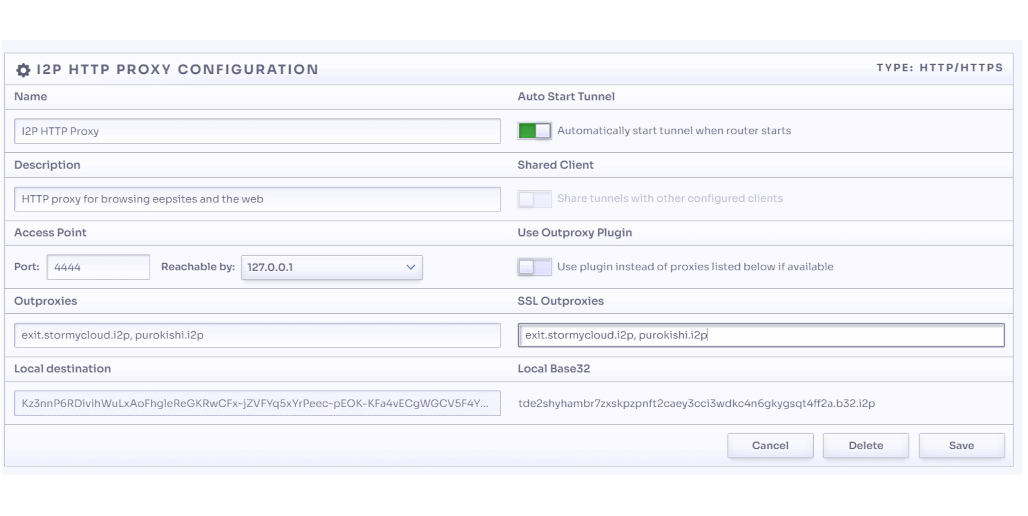
Step 3: Click “I2P HTTP Proxy” to navigate to: http://127.0.0.1:7657/i2ptunnel/edit?tunnel=0
Step 4: Update both the Outproxies and SSL Outproxies fields with:
exit.stormycloud.i2p,purokishi.i2p
I2PD
Step 1: Open the I2PD configuration file:
nano /etc/i2pd/i2pd.conf
Step 2: Locate the httpproxy block and add the following line:
outproxy = http://exit.stormycloud.i2p
Or add the complete block if it doesn’t exist:
[httpproxy]
port = 4444
outproxy = http://exit.stormycloud.i2p
Step 3: Restart I2PD:
systemctl restart i2pd
Address Helper
Address: exit.stormycloud.i2p
B32 Address:
5d4s7pcvfdpftfk7npc7hllyujhufsdprtrf4o53i44rgsa2xbwa.b32.i2p